Seasonal PFP Playbook (2026): How to Add a Santa Hat to Your X Avatar Without Getting Clipped
A practical guide to making a crisp Christmas profile picture for X, Discord, and Instagram: fixing top headroom inside circular masks, picking contrast-safe hats, and exporting locally.
XCircle Editorial ·
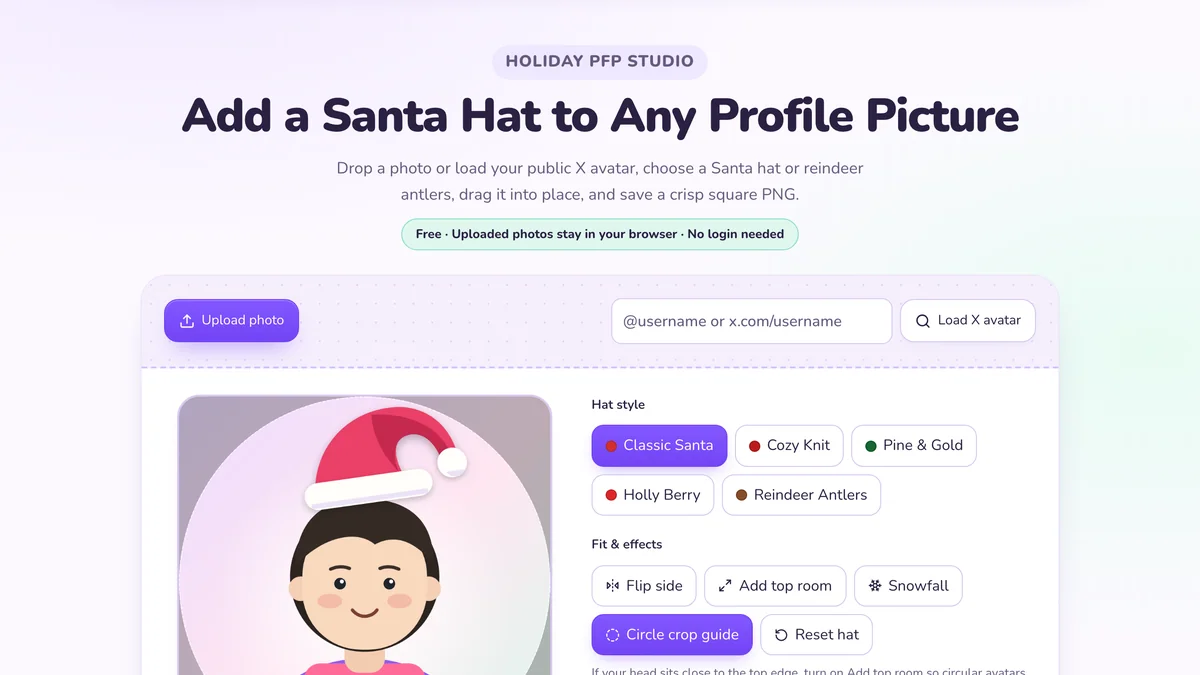
Every December, timelines fill up with festive profile pictures—and half of them have the pom-pom sliced cleanly off by X's circular crop mask. That happens because most headshots already place the top of the head within 10% of the upper frame edge, leaving nowhere for a Santa hat or reindeer antlers to sit once the square image is masked into a circle.
With a few simple framing rules, you can add holiday flair to any portrait, mascot, or logo while keeping your avatar instantly recognizable at 48 × 48 timeline size.
Why festive hats get clipped on X, Discord & Instagram
Social platforms store square avatars (400 × 400 or 800 × 800), then mask them with a circle that trims roughly 21.5% of the square's corner area. When you drop a tall red hat directly on top of a tightly cropped headshot:
| Common Mistake | What Happens in the Timeline | Quick Fix |
|---|---|---|
| No top headroom | The hat brim sits on the head, but the peak and white pom-pom disappear outside the circle | Turn on Add top room (zooms out slightly and pads the top margin cleanly) |
| Hat covers eyes or logo core | Followers fail to recognize your account while scrolling fast | Keep hat width around 65%–80% of head width and tilt slightly (-8° to +12°) |
| Red hat on red/dark noisy background | Edge turns muddy when downscaled to 40 px reply icons | Add a subtle border ring (Warm gold, Pine wreath, or Candy stripe) or gentle snowfall contrast |
| Uploading low-res screenshots | Soft JPEG edges blur the white fur trim | Start from the original uncropped avatar and export a 1024 × 1024 PNG |
Step 1: Start with your crispest original avatar
Before adding any overlay, avoid screenshotting your own tiny timeline thumbnail. If you do not have the original portrait file handy, either drop your local photo directly into Christmas Hat Avatar Maker or pull your uncropped public X profile picture first using X Profile Picture Downloader.
Starting from a sharp 400 × 400 or higher source keeps facial features, glasses, and brand marks crisp even after X re-encodes the upload.
Step 2: Turn on Circle crop guide & Add top room
The fastest way to prevent clipping is previewing the exact circular mask while positioning the hat:
- Open Christmas Hat Avatar Maker and upload a local photo or load any public
@username. - Keep Circle crop guide toggled on so the dimmed outer corners show exactly what X and Discord will clip away.
- If your head already sits close to the top edge, click Add top room. That shifts the framing downward slightly so the entire hat curve and pom-pom sit comfortably inside the inscribed circle.
- Drag the hat directly onto the head, then fine-tune Hat size, Tilt angle, and Flip side so the curve follows your head's natural angle.
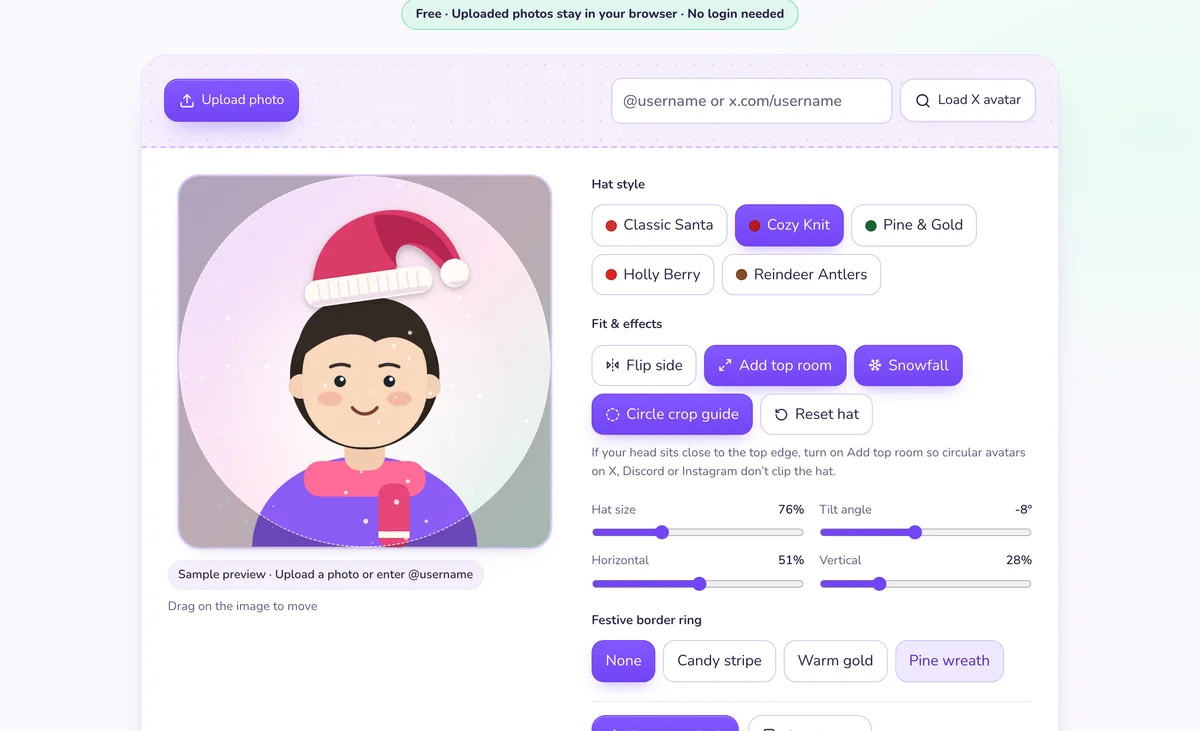
Turning on Add top room and Circle crop guide shows immediately whether the hat tip fits inside X's circular mask before exporting.
Step 3: Match the hat style & border ring to your brand
Not every account needs the same bright cartoon red cap. Picking a style that complements your existing palette keeps your profile cohesive across posts and replies:
- Classic Santa — Best for portraits and friendly illustrations where warm red contrasts clearly against light or neutral backgrounds.
- Cozy Knit — Works well for minimalist avatars, developer mascots, and muted earth-tone or pastel profiles.
- Pine & Gold or Holly Berry — Subtle holiday accents for founder brands and studio logos that want seasonal polish without overpowering the mark.
- Reindeer Antlers — Great when a hat would cover distinctive hair, headphones, or a circular logo silhouette; antlers frame the top without hiding the centerpiece.
- Festive border rings (
Warm gold,Candy stripe,Pine wreath) — Add clean separation in both X Light mode and Lights-out Dark mode so your circular avatar pops in dense reply threads.
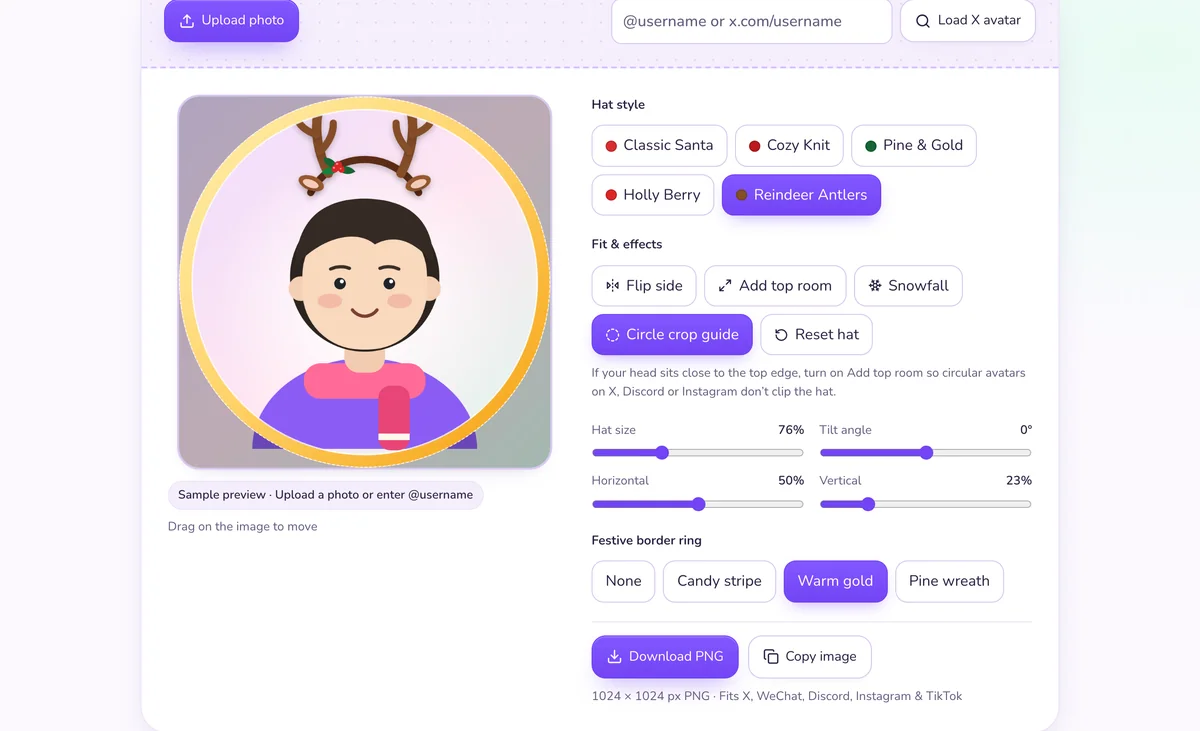
Pairing Reindeer Antlers with a Warm gold ring keeps silhouettes clear at small timeline sizes while adding unmistakable holiday contrast.
Local privacy & switching back in January
Many online "Christmas avatar" generators upload personal photos to remote servers, slap a watermark in the corner, or ask you to authorize your X account via OAuth. XCircle renders every canvas change 100% locally inside your browser: uploaded photos never leave your device, no X login is requested, and exported PNGs have zero watermarks.
One practical tip before you update your X profile: keep a copy of your original avatar in a local folder (or re-save it with X Avatar Downloader before swapping) so switching back on January 2 takes ten seconds.
Ready to refresh your profile for the season? Open Christmas Hat Avatar Maker, preview your live circular crop, and download a clean square PNG ready for X, Discord, Slack, or Instagram.